Building a GitOps VM Provisioning Platform on Proxmox — Part 2: Vault, Secrets & the JWT Trust Chain

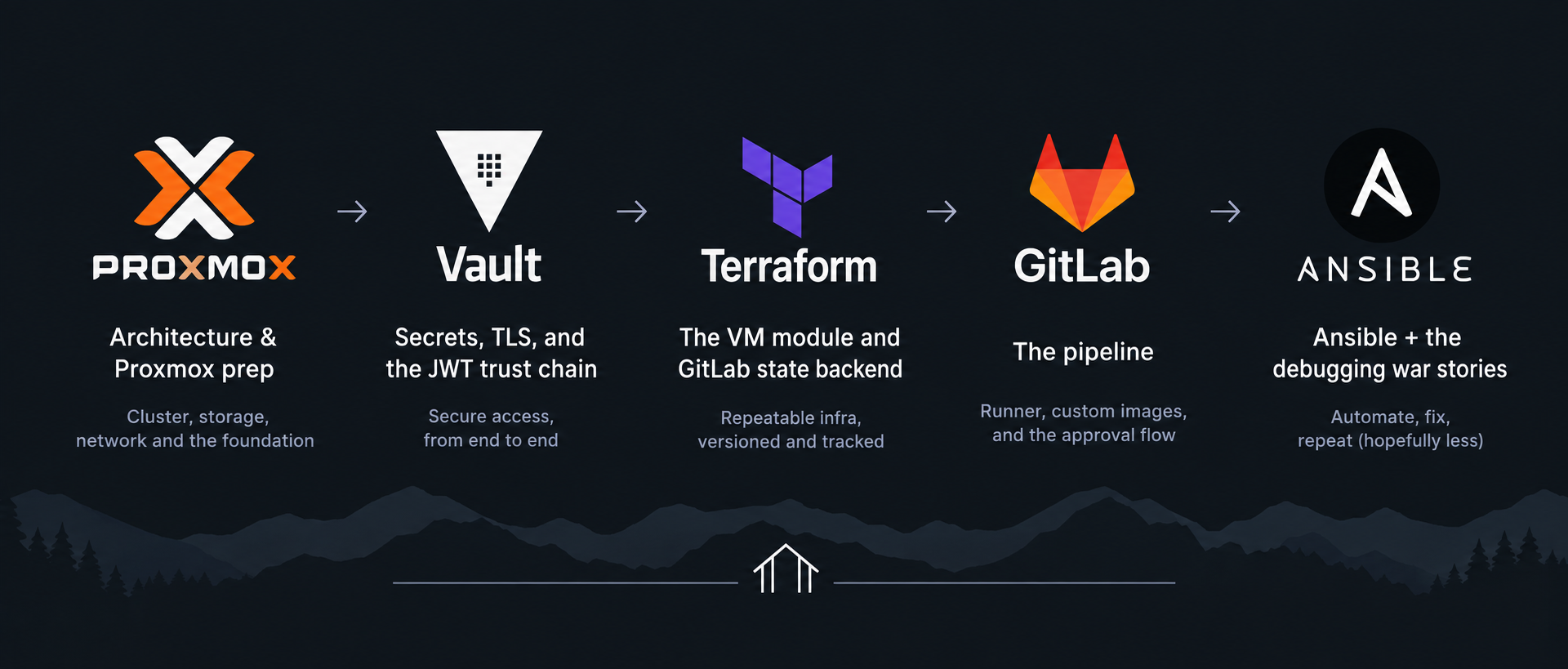
In Part 1 I made a claim I now have to back up: no credential in this pipeline is stored in GitLab. Not the Proxmox API token, not the SSH keys — nothing.
That's not quite the whole truth. Exactly one value lives in GitLab's CI variables, and it's the address of the Vault server. That's it. A URL. Everything else — the actual secrets — lives in Vault and is fetched at runtime by CI jobs that prove their identity cryptographically without ever holding a long-lived token.
This is the post where that machinery gets built. It's the conceptual heart of the whole project, so I'm going to take my time on the part that matters most: how Vault knows a request from GitLab CI is genuinely from my project and authorized to read secrets. If you've ever set up Vault JWT auth by copy-pasting commands and not fully understood what bound_claims was doing, this is for you.
One assumption before we start: Vault is already installed and running. As I noted in Part 1,
vault-01is the one VM I stood up by hand — a small VM cloned from the template, Vault installed from HashiCorp's apt repo,vault operator initrun once and the unseal keys saved offline. Everything below configures that already-running server; it doesn't cover the install itself (HashiCorp's docs and the repo'sSETUP.mdhave those commands). When I say "my Vault server," that's the box I mean.
Three things to build:
- Store the secrets (and give Vault a real TLS certificate)
- Write policies that scope what each part of the pipeline can read
- Configure JWT auth so CI jobs can authenticate with no stored token
TLS first, because self-signed is a trap
Vault holds every secret in this system. Talking to it over anything but a properly verified TLS connection is a non-starter — a self-signed cert you click past is a self-signed cert an attacker can impersonate. So Vault gets a real Let's Encrypt certificate.
The wrinkle: my Vault server isn't publicly reachable. Its DNS name resolves to an internal 192.168.1.x address. That rules out the HTTP-01 challenge (Let's Encrypt can't reach an internal host to verify it). The answer is the DNS-01 challenge, which proves domain control by setting a TXT record instead of serving a file — and that works regardless of whether the host is reachable from the internet.
I use acme-dns — a tiny DNS server purpose-built for exactly this. Rather than handing my main DNS provider's API credentials to every host that needs a cert, acme-dns handles only the _acme-challenge TXT records, and each client gets credentials scoped to a single subdomain. If a client is compromised, the blast radius is one challenge record, not my entire DNS zone.
The one-time DNS setup (in my public DNS provider) is three records:
| Name | Type | Value |
|---|---|---|
_acme-challenge.vault.example.com |
CNAME | <uuid>.acmedns.example.com |
acmedns.example.com |
A | <acme-dns server IP> |
acmedns.example.com |
NS | acmedns.example.com |
That NS record is the one everyone forgets — it delegates the acmedns.example.com subdomain to the acme-dns server itself, so that when Let's Encrypt follows the CNAME and queries for the TXT record, the authoritative answer comes from acme-dns. Without the NS delegation, the CNAME points into a void and the challenge fails with an error that does not obviously say "you're missing an NS record." I lost an evening to this.
Issuing the cert with acme.sh, on the Vault host:
# Register with the acme-dns server — returns username, password, subdomain, fulldomain
curl -s -X POST http://acmedns.example.com:8181/register -H "Content-Type: application/json"
# (save those four values to ~/.acme.sh/acmedns.json keyed by the domain)

curl https://get.acme.sh | sh -s email=you@example.com

export ACMEDNS_BASE_URL="http://acmedns.example.com:8181"
acme.sh --issue --force -d vault.example.com --dns dns_acmedns --server letsencrypt
Then install the cert and wire up a deploy hook that restarts Vault on renewal. The gotcha here: the deploy hook doesn't receive cert paths as environment variables the way you might expect — --install-cert handles the copy via its flags, and the reload command just fixes ownership and restarts:
sudo tee /opt/vault/tls/deploy.sh << 'EOF'
#!/bin/bash
set -e
chown vault:vault /opt/vault/tls/vault-fullchain.crt /opt/vault/tls/vault.key
chmod 640 /opt/vault/tls/vault-fullchain.crt /opt/vault/tls/vault.key
systemctl restart vault
EOF
sudo chmod +x /opt/vault/tls/deploy.sh

sudo -i
export ACMEDNS_BASE_URL="http://acmedns.example.com:8181"
acme.sh --install-cert -d vault.example.com \
  --fullchain-file /opt/vault/tls/vault-fullchain.crt \
  --key-file       /opt/vault/tls/vault.key \
  --reloadcmd      "/opt/vault/tls/deploy.sh"
Two more details that cost me time:
- Use the fullchain, not the leaf cert. Some clients — including the Go HTTP client Terraform's Vault provider uses — reject a leaf-only cert because they can't build the trust chain. Point Vault's
tls_cert_fileatvault-fullchain.crt. - Binding to 443 as a non-root user. Vault runs as the
vaultuser, and non-root can't bind ports below 1024. Rather than run Vault as root, grant the binary the capability:
# /etc/systemd/system/vault.service.d/override.conf
[Service]
AmbientCapabilities=CAP_NET_BIND_SERVICE
Now Vault serves HTTPS on 443 with a trusted cert, as an unprivileged user. VAULT_ADDR=https://vault.example.com — no port, no -tls-skip-verify, no warnings.
Storing the secrets
With TLS sorted, the secrets go in. KV v2 mounted at secret/. First the Proxmox token from Part 1:
vault kv put secret/proxmox \
  api_token="terraform@pam!gitops=xxxxxxxx-xxxx-xxxx-xxxx-xxxxxxxxxxxx"
Then an SSH keypair for Ansible. Generate a dedicated one — this key exists only to let the pipeline configure VMs, and keeping it separate from any personal key means you can rotate it without touching anything else:
ssh-keygen -t ed25519 -f ansible_key -C ansible

vault kv put secret/ansible \
  ssh_pubkey="$(cat ansible_key.pub)" \
  ssh_private_key="$(cat ansible_key)"
The public key gets injected into new VMs via cloud-init (so Ansible can connect); the private key is read by the Ansible stage to actually make the connection. Both halves live in Vault; neither ever touches GitLab or the repo.
Finally, the public keys for the human users the pipeline will create on each VM:
vault kv put secret/users/admin    ssh_pubkey="ssh-ed25519 AAAA... admin"
vault kv put secret/users/deployer ssh_pubkey="ssh-ed25519 AAAA... deployer"
Policies: the second trust boundary
In Part 1 the Proxmox token was the first least-privilege boundary. Vault policies are the second, and they're where the design gets deliberate.
The pipeline has two stages that touch secrets: Terraform (provisioning) and Ansible (configuration). They need different secrets, so they get different policies. Terraform never needs to read a user's SSH key; Ansible never needs the Proxmox token. Encoding that separation means a compromise or bug in one stage can't reach the other's secrets.
vault policy write terraform-policy - << 'EOF'
path "secret/data/proxmox" { capabilities = ["read"] }
path "secret/data/ansible" { capabilities = ["read"] }
EOF

vault policy write ansible-policy - << 'EOF'
path "secret/data/ansible"  { capabilities = ["read"] }
path "secret/data/users/*"  { capabilities = ["read"] }
EOF
Terraform reads the Proxmox token (to talk to the API) and the Ansible public key (to inject via cloud-init). Ansible reads the Ansible private key (to connect) and the user public keys (to install). The overlap on secret/ansible is intentional — both need it, for different halves of the keypair. Everything else is separated. Note the secret/data/ prefix: that's a KV v2 quirk — the API path for a secret at secret/proxmox is actually secret/data/proxmox.
The main event: JWT auth with zero stored tokens
Here's the problem this solves. A CI job needs to read from Vault. The naive approach is to store a Vault token in a GitLab CI variable and have jobs use it. But that token is long-lived, sits in GitLab's settings, and anyone with project access (or a leak of that variable) can use it forever. That's exactly the static-credential problem I set out to avoid.
The solution is JWT authentication, and the mental model that makes it click is two separate questions Vault asks about every request:
- Is this token genuine? (Did GitLab really issue it?)
- Is this token authorized? (Is it from my project, on my branch?)
Different mechanisms answer each. Get both, and you have authentication with no stored secret.
How GitLab issues the identity
When a CI job runs, GitLab can mint a JWT (JSON Web Token) scoped to that specific job. You request one by declaring it in the job:
id_tokens:
  VAULT_ID_TOKEN:
    aud: "${VAULT_ADDR}"
GitLab generates a fresh token for the job, signs it with its private key, and embeds claims describing the job — including which project and branch it's running from:
{
  "iss": "https://gitlab.com",
  "project_path": "your-username/proxmox-gitops",
  "ref": "main",
  "ref_type": "branch",
  "aud": "https://vault.example.com"
}
This token exists only for the life of the job. Nobody stored it. GitLab created it on the fly and it expires when the job ends.
Question 1: Is it genuine?
You configure Vault's JWT auth to trust GitLab's signing key:
vault auth enable jwt

vault write auth/jwt/config \
  jwks_url="https://gitlab.com/-/jwks" \
  bound_issuer="https://gitlab.com"
That jwks_url is GitLab's public key endpoint. GitLab signs every JWT with a private key that never leaves its servers, and publishes the matching public key at that URL. When a job presents a JWT, Vault fetches GitLab's public key and verifies the signature.
This is asymmetric cryptography doing its job: a signature made with GitLab's private key can only be verified with GitLab's public key, and only GitLab has the private key. If the token were forged or tampered with — even one character of one claim changed — the signature check fails. Passing it proves the token was issued by GitLab and hasn't been altered.
But — and this is the insight most Vault tutorials skip — a valid signature only proves it came from GitLab. It does not prove it came from your project. Any GitLab project, anywhere on gitlab.com, can mint a validly-signed JWT. Signature verification alone would let a stranger's repo authenticate to your Vault. That's what the second question is for.
Question 2: Is it authorized?
This is bound_claims, and it's the part that actually protects you:
vault write auth/jwt/role/gitlab-terraform \
  role_type="jwt" \
  user_claim="sub" \
  bound_claims_type="glob" \
  bound_claims='{"project_path":"your-username/proxmox-gitops","ref":"main","ref_type":"branch"}' \
  policies="terraform-policy" \
  ttl="1h"

vault write auth/jwt/role/gitlab-ansible \
  role_type="jwt" \
  user_claim="sub" \
  bound_claims_type="glob" \
  bound_claims='{"project_path":"your-username/proxmox-gitops","ref":"main","ref_type":"branch"}' \
  policies="ansible-policy" \
  ttl="1h"
After the signature checks out, Vault compares the claims inside the JWT against the bound_claims in the role. All of them must match. The JWT says project_path: your-username/proxmox-gitops — does it match the role? The JWT says ref: main — does it match?
And here's why it can't be faked: those claims are part of the signed payload. GitLab put them there and signed over them. An attacker on a different project can absolutely get GitLab to sign a JWT — but it'll carry their project's path, because GitLab fills in the claims based on where the job actually runs. They can't change project_path to yours without invalidating the signature, and they can't re-sign because they don't have GitLab's private key.
So the full gate looks like this:
JWT presented to Vault
   │
   ├── fetch GitLab's public key from /-/jwks
   ├── verify signature ─────────────────── fail → rejected (forged/tampered)
   ├── check iss == https://gitlab.com ──── fail → rejected
   ├── check aud == https://vault.example.com ── fail → rejected (wrong audience)
   ├── check project_path == yours ──────── fail → rejected (another project)
   ├── check ref == main ────────────────── fail → rejected (feature branch/fork)
   │
   └── all pass → issue a token with terraform-policy, 1-hour TTL
Two roles, two policies, same bound_claims. The Terraform stage authenticates as gitlab-terraform and gets terraform-policy; the Ansible stage authenticates as gitlab-ansible and gets ansible-policy. The trust boundary from earlier is now enforced at authentication time.
What the job actually does with it
The exchange itself is a single API call in the job's before_script:
export VAULT_TOKEN=$(curl -s \
  --request POST \
  --header "Content-Type: application/json" \
  --data "{\"role\":\"gitlab-terraform\",\"jwt\":\"${VAULT_ID_TOKEN}\"}" \
  "${VAULT_ADDR}/v1/auth/jwt/login" \
  | grep -o '"client_token":"[^"]*"' | cut -d'"' -f4)
The job hands Vault its GitLab-issued JWT, Vault runs the whole gate above, and hands back a scoped token good for one hour. That token can read only what its policy allows, and it evaporates when the job ends. At no point did a long-lived credential exist anywhere.
Why the aud field matters too
One easy-to-miss detail: the aud (audience) claim, which you set when declaring the token (aud: "${VAULT_ADDR}") and enforce via bound_issuer/audience checks. It scopes the token to your Vault specifically. Without it, a JWT minted for some other service that also trusts GitLab could theoretically be replayed against your Vault. Setting the audience to your Vault's address means a token minted for anything else won't be accepted here. It's defense in depth — the project and branch checks already do the heavy lifting, but there's no reason to leave the audience unbound.
Where this leaves us
Vault now holds every secret behind a trusted TLS endpoint, scoped into two policies that mirror the pipeline's two privileged stages, reachable by CI jobs that authenticate with a cryptographically-verified, short-lived, project-bound identity and no stored token anywhere.
The single value that lives in GitLab is VAULT_ADDR. A URL. If it leaks, someone learns my Vault's hostname — which does them no good without a validly-signed JWT from my exact project on my exact branch.
That's the security spine of the whole project, and everything from here hangs off it.
In Part 3 we get to Terraform: the reusable VM module, the environment that calls it, and how the Vault provider reads those secrets we just stored — plus storing Terraform state in GitLab's backend so the pipeline is stateless between runs.
Full code for the series is at github.com/jevellangelo/proxmox-gitops.
One operational note I'll expand on later: this Vault is manually unsealed. After a restart it needs vault operator unseal run with the unseal keys before it'll serve anything — which means if my Vault host reboots, the pipeline fails until I intervene. Auto-unseal is on the improvement list; for a homelab where I control the reboots, manual is an acceptable tradeoff.
 jevellangelo
 Jevell Acebedo
 Jevell Acebedo
Part 1