Building a GitOps VM Provisioning Platform on Proxmox — Part 1: Architecture & Proxmox Prep

I got tired of clicking through the Proxmox UI every time I wanted a VM.
Not because clicking is hard — because clicking isn't reproducible. I'd spin up a VM, install Docker, add my SSH key, set up a user, and a month later I'd have no record of what I did or why. The next VM would be subtly different. Multiply that across a homelab and you get exactly the kind of snowflake infrastructure I spend my day job trying to eliminate.
So I built a pipeline. Now I fill out a form in GitLab, a plan shows up in Slack, I click approve, and a few minutes later I have a fully configured Ubuntu VM — Docker installed, users created, SSH keys in place — with every decision captured in Git. Destroying one works the same way, with the same approval gate.
This is the first post in a series walking through the whole build. Three threads run through all of it: how to build it (you'll be able to follow along), how the secrets architecture works (no static credentials, anywhere), and what actually broke along the way (the interesting part). I'm assuming you're comfortable with Terraform and Ansible — I won't be explaining what a resource block is, but I will explain every decision that isn't obvious.
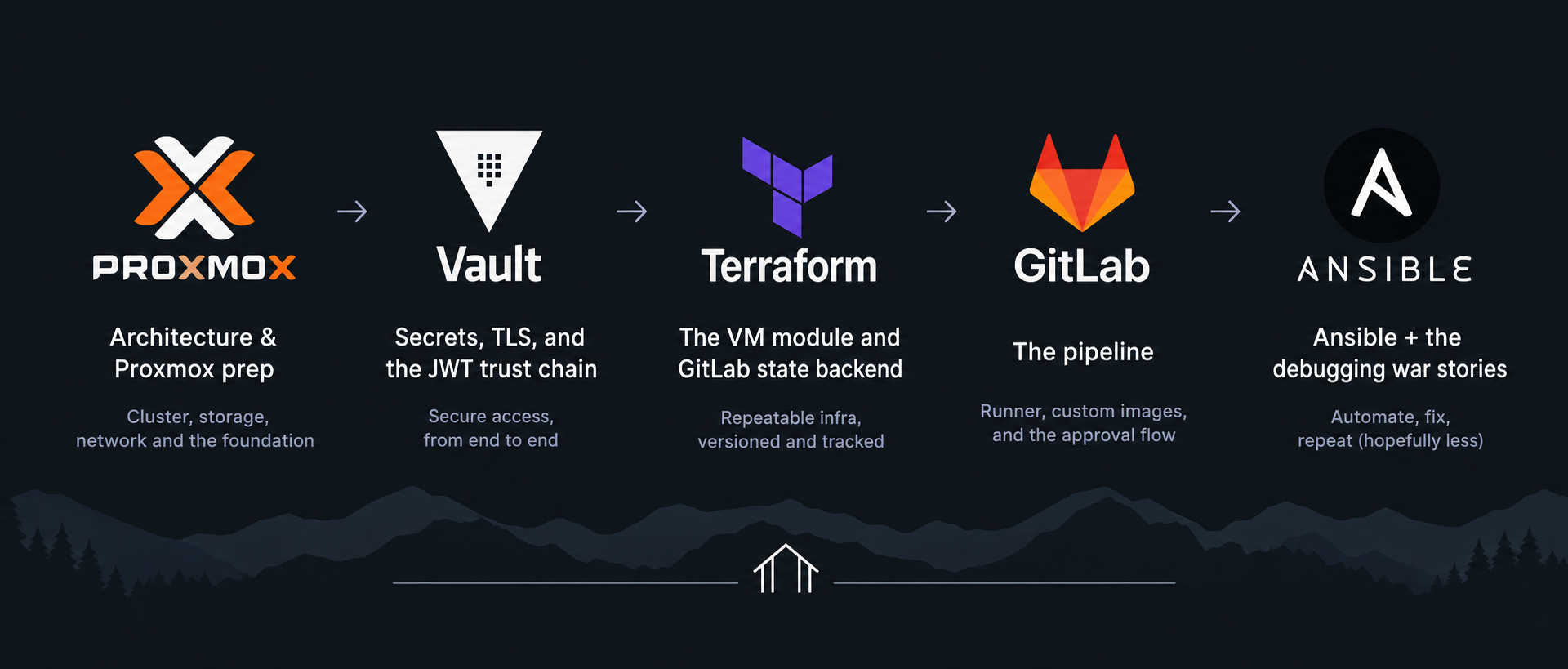
Here's the map for the series:
- Architecture & Proxmox prep (this post)
- Vault — secrets, TLS, and the JWT trust chain
- Terraform — the VM module and GitLab state backend
- The pipeline — runner, custom images, and the approval flow
- Ansible + the debugging war stories
Let's start with the shape of the thing.
What I was actually building
The goal was a single action — "give me a VM" — that triggers a reviewed, auditable, repeatable sequence. Concretely:
- I open GitLab, hit Run pipeline, and fill in a short form: VM name, IP, target node, a couple of optional fields.
- The pipeline validates my Terraform and Ansible, then generates a plan and posts it to Slack for review.
- I look at the plan, click approve, and Terraform clones a cloud-init template into a running VM.
- Ansible connects over SSH and configures it: base packages, Docker, the QEMU guest agent, user accounts with their keys.
- Slack tells me the VM is ready.
And crucially: no credential involved in any of this is stored in GitLab. Not the Proxmox API token, not the SSH keys, nothing. Every secret is pulled from HashiCorp Vault at runtime using a short-lived identity that GitLab mints per job. That's the part I'm proudest of, and it gets its own post.
The architecture
Six moving pieces, each with one job:
| Component | Role |
|---|---|
| Proxmox VE | The hypervisor. Where VMs actually run. |
| HashiCorp Vault | Secrets. The Proxmox API token and SSH keys live here and nowhere else. |
Terraform (bpg/proxmox) |
Provisioning. Clones the template, sets hardware, writes cloud-init config. State lives in GitLab. |
| Ansible | Configuration. Everything that happens inside the VM after it boots. |
| GitLab CI + Runner | Orchestration. Runs every stage in Docker containers on a self-hosted runner. |
| Slack | Notifications and the human approval gate. |
The data flow looks like this:
You (GitLab web UI form)
    │
    ▼
GitLab CI pipeline ── runs on a self-hosted runner (Docker executor)
    │
    │   each job:
    │     1. gets a short-lived JWT from GitLab
    │     2. exchanges it with Vault for a scoped, 1-hour token
    │     3. reads only the secrets its policy allows
    │
    ├── validate   terraform validate / fmt, ansible-lint     (every push)
    ├── plan       terraform plan  ──►  Slack approval message
    ├── apply      terraform apply (manual gate)  ──►  VM created on Proxmox
    └── configure  ansible  ──►  Docker, guest agent, users, SSH keys
                                     │
                                     ▼
                        Running, configured VM   (Slack: "VM Ready")
The thing I want to highlight before we touch any code: the trust boundaries. GitLab never holds a Proxmox credential. The runner never holds a Vault token at rest. Terraform and Ansible get different Vault policies, so the stage that provisions infrastructure can't read the stage that configures users, and vice versa. Every one of those boundaries is deliberate, and we'll build them one at a time.
For this series I'm writing everything against a single Proxmox node with default storage, so you can follow along without a cluster. My production homelab runs this across a three-node cluster on Ceph, but nothing about the design requires that — the single-node version is a config change, not a rewrite.
One manual step first: who provisions the provisioner
There's a chicken-and-egg problem hiding in that diagram. The pipeline provisions VMs — but two of the boxes in it, Vault and the GitLab runner, are themselves VMs that have to exist before the pipeline can run. Nothing can bootstrap them through the pipeline, because the pipeline depends on them.
So those two are the one manual step in the whole system. Before anything in this series, I cloned two VMs by hand from the same cloud-init template everything else uses:
vault-01— a small VM (2 vCPU / 2 GB) running HashiCorp Vault. Installed from HashiCorp's apt repo,vault operator initrun once, unseal keys and root token saved offline. This is the secrets store the rest of the series configures.runner-01— the GitLab runner (2 vCPU / 4 GB) with Docker andgitlab-runnerinstalled, registered to the project with theproxmoxtag and the Docker executor. Every pipeline job runs here.
Both need to reach the Proxmox API and each other on the internal network. After that, they never get touched by hand again — they're the fixed ground the automated loop stands on. I'm not going to walk through those two installs step by step (HashiCorp's and GitLab's own install docs cover them well, and the accompanying repo's SETUP.md lists the exact commands); the interesting, reproducible, GitOps part of the system is everything downstream of them, and that's what the rest of the series builds. Just know that when Part 2 starts configuring "my Vault server," it's this hand-built vault-01 it's talking to.
Proxmox groundwork
Everything downstream clones from one cloud-init template. Get this right and the rest of the series has a solid foundation. Two pieces of prep: the template itself, and a restricted API token for Terraform.
The cloud-init template
I'm using Ubuntu 24.04's official cloud image. On the Proxmox node:
wget https://cloud-images.ubuntu.com/noble/current/noble-server-cloudimg-amd64.img

qm create 9000 --name ubuntu-2404-cloud-init --memory 2048 --cores 2 \
  --net0 virtio,bridge=vmbr0 --scsihw virtio-scsi-single --agent enabled=1
qm importdisk 9000 noble-server-cloudimg-amd64.img local-lvm
qm set 9000 --scsi0 local-lvm:vm-9000-disk-0,discard=on,iothread=1
qm set 9000 --ide2 local-lvm:cloudinit
qm set 9000 --boot order=scsi0
qm set 9000 --serial0 socket --vga serial0
qm template 9000
A few of these flags matter more than they look, and each one is a lesson I learned the annoying way:
--scsihw virtio-scsi-single— this pairs withiothread=1on the disk. If you setiothreadon a disk attached to any other controller type, Proxmox silently ignores it and logs a warning you'll never see. You think you have per-disk I/O threading; you don't. The controller and the disk flag have to agree.--agent enabled=1— this creates the virtio-serial device the QEMU guest agent talks over. In Part 5 there's a whole debugging saga that traces back to this single flag being absent. Enable it on the template and every clone inherits it.--serial0 socket --vga serial0— cloud images expect a serial console. Without this the VM boots but you get no console output in the Proxmox UI, which makes early debugging miserable.discard=on— lets the VM issue TRIM so thin-provisioned storage actually reclaims space when files are deleted.
The template is VM ID 9000 here — a common convention, and the default the pipeline expects. Change it if you like; it's a pipeline input later.
A restricted API token for Terraform
This is the first trust boundary, and it's a habit worth building even in a homelab: Terraform does not get an admin token. It gets a token bound to a custom role that grants exactly the permissions it needs and nothing else.
pveum role add TerraformProvisioner -privs "VM.Allocate VM.Clone \
  VM.Config.CDROM VM.Config.Cloudinit VM.Config.CPU VM.Config.Disk \
  VM.Config.HWType VM.Config.Memory VM.Config.Network VM.Config.Options \
  VM.PowerMgmt VM.Audit Datastore.AllocateSpace Datastore.AllocateTemplate \
  Datastore.Audit SDN.Use Sys.Audit"

pveum user add terraform@pam
pveum aclmod / -user terraform@pam -role TerraformProvisioner
pveum user token add terraform@pam gitops -privsep 0
Walking through what each permission is for, because a permission you can't justify is a permission you should question:
VM.Allocate,VM.Clone— create VMs and clone the template.VM.Config.*— set CPU, memory, disk, network, cloud-init, and boot options on the clone.VM.PowerMgmt— start and stop VMs.VM.Audit— read VM config and status (Terraform needs to read state back).Datastore.AllocateSpace,Datastore.AllocateTemplate— create the disk and the cloud-init ISO.Datastore.Audit— read storage info.SDN.Use— use the network zone onvmbr0. This one bit me — without it, cloning fails at the network-attach step with a permissions error that doesn't obviously point at SDN.Sys.Audit— read node-level resource info (I use this later to show cluster capacity in the plan output).
Notably absent: anything that lets this token touch storage config, cluster settings, other users, or the host itself. If this token leaks, the blast radius is "someone can create and destroy VMs" — bad, but not "someone owns my hypervisor."
The token add command prints a secret once. Save it. In the next post it goes straight into Vault, and that's the last time it'll ever sit anywhere but there.
The -privsep 0 flag means the token inherits the user's role rather than needing its own separate ACL — simpler for a single-purpose token like this.
Where this is headed
At this point we have a template that clones cleanly and a token scoped to least privilege. Nothing is automated yet — but the two hardest-to-change foundations are in place, and both were built with the security model already in mind.
In Part 2 we stand up Vault: storing that Proxmox token and the SSH keys, writing the policies that separate Terraform's access from Ansible's, and — the centerpiece — configuring the JWT auth that lets GitLab CI jobs authenticate to Vault with no stored token at all. That's where the "no static credentials, anywhere" claim gets made real, and where the cryptographic trust chain that makes it safe gets explained end to end.
The code for the whole series lives at github.com/jevellangelo/proxmox-gitops if you want to read ahead.
 jevellangelo
 Jevell Acebedo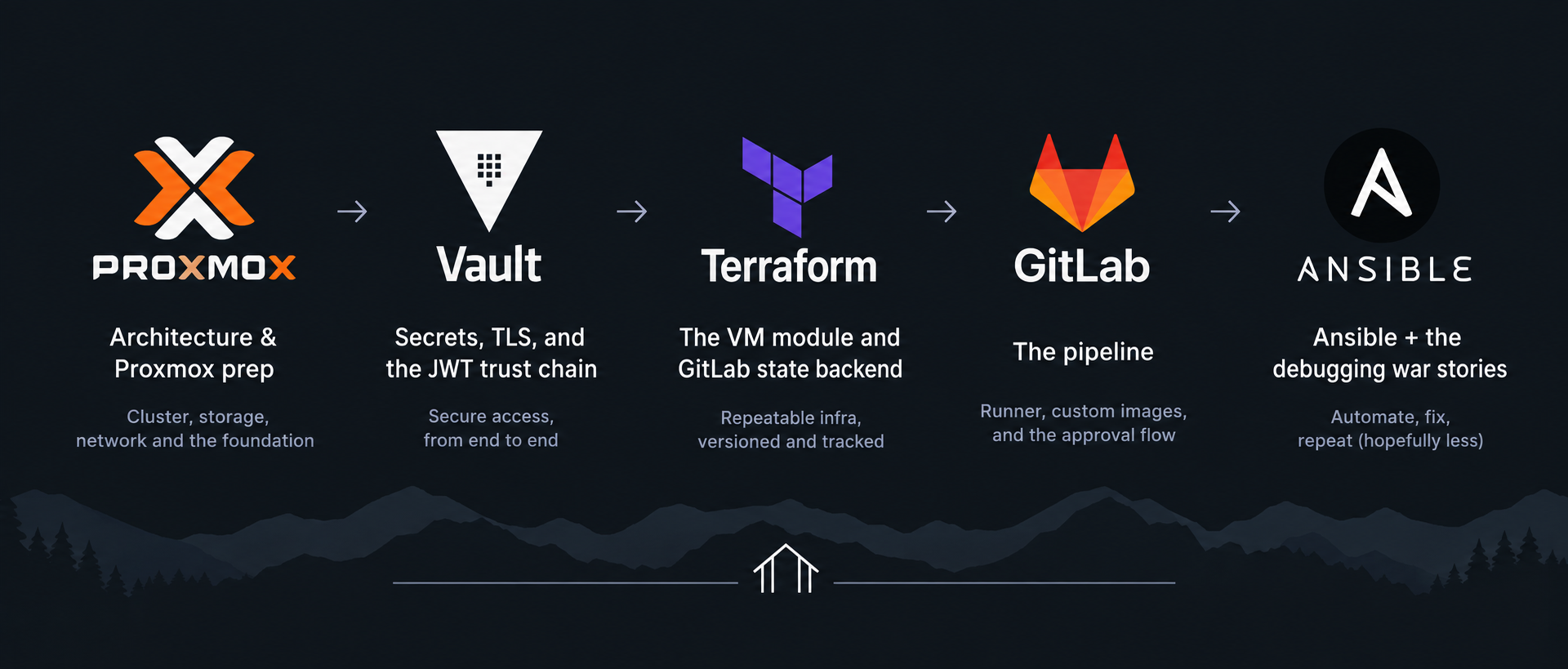
Part 2